
FPse for Android devices
Schtruck & LDchenCasual
4.410.34K Reviews
- Version
- 13.0
- Installs
- 500.00K
- Age Rating
- Everyone
Screenshots
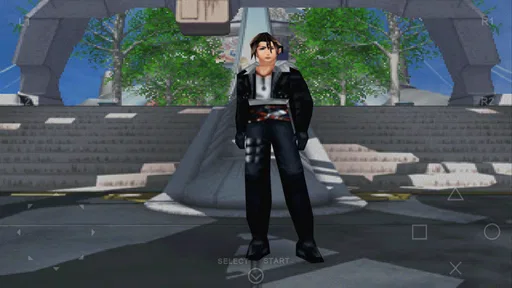
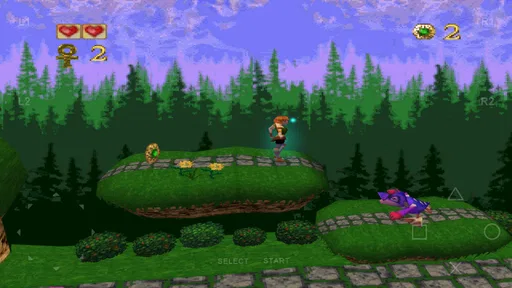
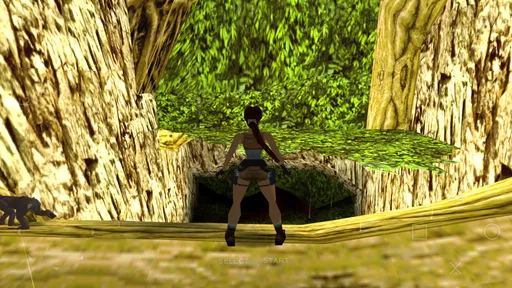
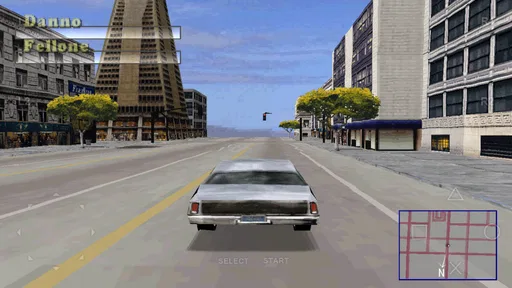
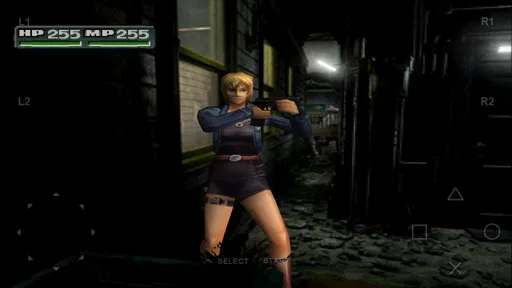
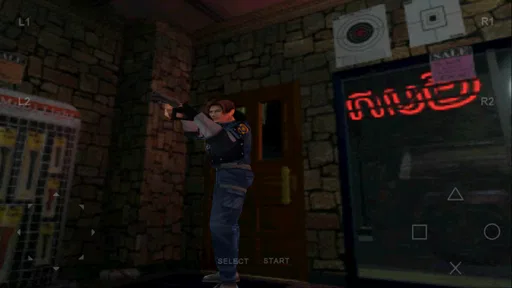
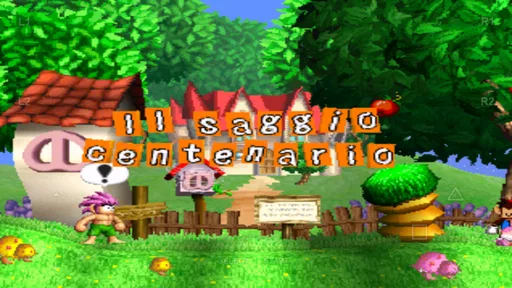
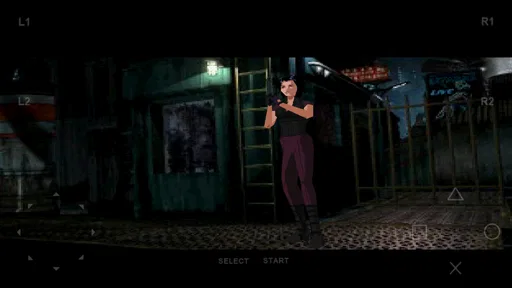
Our Review of FPse for Android devices
 Analysis by Appyee
If you're anything like me, diving into the nostalgic world of classic PlayStation games is a joy like no other. That's where FPse for Android comes in. This app promises to bring the magic of PlayStation games right to your Android device. So, let's dive into what makes this emulator tick.
What I find most useful about an emulator is how quickly it gets me from choosing a game to actually playing. With FPse, that first action depends on a few things outside the app itself: having game files available on your device and being prepared to work through an initial setup. Once those pieces are in place, the appeal is immediate. I can pick a familiar title for a short break, or settle in for a longer session with a controller. It suits people who already know what they want to play and are comfortable organizing their own game collection.
That setup is also the main point where I would tell a newcomer to slow down. An emulator does not supply the games, and working with BIOS files and game images can be less straightforward than installing a typical casual game. I would make sure I understand how to use my own files before paying for an emulator. If I want a game that opens straight into its own content with no preparation, a conventional mobile game is the easier choice.
Getting Started with FPse
First things first, installing FPse for Android is a breeze. Head over to the Google Play Store, and within a few taps, you've got it ready to roll. The app does come with a price tag, but trust me, it’s worth every penny if you're a fan of classic gaming. Once installed, you’ll be greeted with a clean interface that's surprisingly user-friendly.
FPse is a paid casual game from Schtruck & LDchen, currently priced at $2.99. It has a 4.4 average from around 65 thousand ratings, and has passed 500 thousand installs. Those figures suggest a well-established audience, but they do not remove the need to check whether an emulator fits your habits: the experience is most rewarding when you already have a library and want to play it on Android. Its Everyone age rating also makes the app broadly accessible, though the games you choose have their own content and suitability to consider.
The setup process is straightforward, even for those who might not be tech-savvy. You’ll need to have your own PlayStation BIOS file and game ROMs, which is standard fare for emulators. Once you have those, loading games is just a matter of navigating through your device’s storage.
A small practical tip makes that process less frustrating: keep your game files in a clearly named folder rather than scattering them across downloads and other directories. That way, browsing for a title is quicker, and it is easier to tell which image belongs to which game when several files share a similar name. If a game uses multiple related files, keeping them together also makes it simpler to select the right one. This is not glamorous, but good file organization is part of making an emulator feel convenient rather than fiddly.
Features Galore
Now, let’s talk features, because this app is packed with them. FPse supports a wide range of file formats, including .iso, .bin, .cue, and more. This flexibility means you can play almost any PlayStation game you can get your hands on.
In practice, format support is useful because older game collections are not always stored in one uniform way. If a title is split across related files, I would check that I am opening the appropriate image rather than randomly trying every file in the folder. A tidy library also helps when I return to a game after a break: choosing the right title should be the easy part, not a second round of detective work.
One of the standout features is the ability to enhance graphics. Yes, you heard me right. You can tweak the graphics settings to improve texture quality and resolution, making your games look better than they did on the original hardware. For someone like me who loves a crisp gaming experience, this is a game-changer.
There is a trade-off here that is easy to overlook: sharper presentation is not automatically the best presentation. A game designed around the original look may feel more natural with modest changes, while a more pronounced enhancement can make old visuals feel different from the version you remember. I would adjust one setting at a time, test it in an actual game, and keep the configuration that remains comfortable during movement and busy scenes. That makes it easier to identify which change helped and which merely looked impressive in a menu.
But wait, there's more. FPse also supports external controllers, which is clutch for those intense gaming sessions. Pair a Bluetooth controller, and you've got a portable gaming console right in your hands.
For a longer session, a physical controller is the more convincing option; for a few minutes on a commute or while waiting for someone, touch controls may be more convenient because there is nothing extra to carry. I would decide based on the game rather than insisting on one control method for everything. Games that ask for quick, deliberate inputs are generally less comfortable on a flat screen, while a brief casual session can be perfectly reasonable with touch controls. That flexibility is one of the better reasons to keep an emulator on a phone.
Performance and Usability
Performance-wise, FPse impresses. Games run smoothly, and I rarely encountered any lag or stuttering. Of course, the performance can vary depending on the hardware of your Android device, but on the whole, I was pleasantly surprised by how well it handled even the more demanding titles.
The feedback rhythm is what gives a classic game its pull: press a button, see the character respond, make progress, and reach the next small challenge. When the game runs well and controls feel responsive, that loop is easy to settle into. If something feels off, I would first consider the Android device, the game, and the chosen settings rather than assuming every title will behave identically. An emulator is a bridge between older software and newer hardware, so a little variation is part of the experience.
The app also offers a variety of customization options. From adjusting sound settings to setting up save states, you can tailor your experience exactly how you want it. The touch controls are intuitive, but I’d still recommend using a physical controller for the best experience.
Save states are especially useful when I want to fit play around real life. If I have a few minutes before an appointment, I can make progress without needing to plan the session around reaching a traditional in-game stopping point. I still like using a game's own save system when it makes sense, but a save state can act as a convenient pause in my personal routine. For a longer play, I can use a controller and give the game my full attention; for a short window, I can stop when I need to. That practical choice helps turn nostalgia into something usable on a phone.
One everyday scenario captures the appeal: I might have a quiet half-hour at home, choose a familiar PlayStation game, and play through a level with a controller. Later, I could return to it during a short wait and use a save state to pick up where I left off. The reward is not only finishing a stage; it is being able to revisit a game on my schedule, without needing to set up the original console each time. The next session begins because there is still a clear next goal, not because the app is pushing me through a new daily task.
Why FPse Stands Out
So, what sets FPse apart from other emulators? For one, its consistent updates. The developers are actively improving the app, fixing bugs, and adding new features. This commitment to quality is something I really appreciate.
FPse is now at version 13.0, and its long-running presence gives it a different feel from trying an unfamiliar emulator with no established track record. Still, I would compare it with other ways of playing rather than choosing by reputation alone. A console or a handheld device offers dedicated controls and a more focused setup; a standard mobile game is easier to start and does not ask me to manage BIOS files or game images. FPse makes most sense when the specific attraction is bringing a personal collection of PlayStation games to Android.
Additionally, the community around FPse is vibrant and helpful. Whether you're troubleshooting an issue or just looking to share your gaming experiences, there are forums and resources aplenty.
If I run into trouble, I would work through it methodically: confirm that I selected the intended game file, make one settings change at a time, and then test again. Changing several options at once makes it harder to know what improved or caused a problem. This kind of patient troubleshooting is a reasonable trade-off for the control an emulator offers, but it may not suit someone who wants every game to behave like a polished, self-contained phone app from the first tap.
Wrapping It Up
All in all, FPse for Android is a must-have for any PlayStation enthusiast. It combines robust performance with a host of features that enhance the gaming experience. While it’s not free, the value it offers more than justifies the price. Whether you’re reliving your favorite childhood memories or discovering classic titles for the first time, FPse is the perfect companion.
I would recommend it most to Android users who already have a PlayStation library, enjoy adjusting settings, and are happy to use a controller for games that demand precise input. I would skip it if I want an instant, no-setup mobile pastime, or if I do not want to handle game files and emulator configuration. The paid price is easier to justify when I expect to return to a collection over time, rather than buying it for a single brief experiment.
So, grab your favorite games, set up FPse, and get ready for a nostalgia-filled adventure. You won’t be disappointed!
For me, the lasting appeal is the compact loop: choose a game, act, get immediate feedback, earn a small moment of progress, then save or stop and have a reason to return. FPse does not remove every bit of setup from classic gaming, and it is not the right route for everyone. But if the preparation sounds like a fair exchange for carrying those PlayStation sessions around, it is a worthwhile option to consider.
Verdict
Strengths of FPse for Android devices
- High compatibility with PS1 games.
- Customizable on-screen controls.
- Supports various file formats.
- Excellent graphics rendering.
- Bluetooth controller support.
Limitations of FPse for Android devices
- Complex setup for beginners.
- Occasional graphical glitches.
- Limited free version features.
- In-app ads can be intrusive.
- Requires BIOS file for operation.
Similar Picks in This Category
View All
My Talking Angela
Outfit7 Limited4.2

My Talking Tom
Outfit7 Limited4.3

Pou
Zakeh4.2

My Talking Tom 2: Pet Game
Outfit7 Limited4.3

Candy Crush Saga
King4.6

Bridge Race
Supersonic Studios LTD4.1
Frequently Asked Questions
What is FPse, and what platforms does it support?
FPse is a high-performance PlayStation emulator for Android devices. It allows users to play their favorite PlayStation 1 games on their smartphones and tablets. The app is specifically designed for Android, providing a smooth, customizable gaming experience with support for various file formats and controllers.
How do I load games onto FPse?
To load games onto FPse, you need to have the game ROMs in a compatible format, such as .iso, .bin, or .img. You can transfer these files to your device's storage and use the app's interface to locate and load them. Ensure you legally own the games you're emulating.
Does FPse support external controllers?
Yes, FPse supports a wide range of external controllers, enhancing the gaming experience. You can connect Bluetooth controllers, such as the PS4 or Xbox controllers, and customize button mappings within the app settings to suit your preferences.
Are there any customization options available in FPse?
FPse offers extensive customization options, including graphical settings, audio adjustments, and control configurations. You can tweak the resolution, frame rate, and filtering options to optimize performance and visuals. Additionally, the app supports save states and cheat codes, allowing for a tailored gaming experience.
Is FPse user-friendly for beginners?
While FPse offers many advanced features, it might seem complex for beginners due to its extensive customization options. However, it provides a comprehensive help guide and user community support to assist newcomers. Once familiar with its interface, users can enjoy a seamless gaming experience.
Play our best games!


